


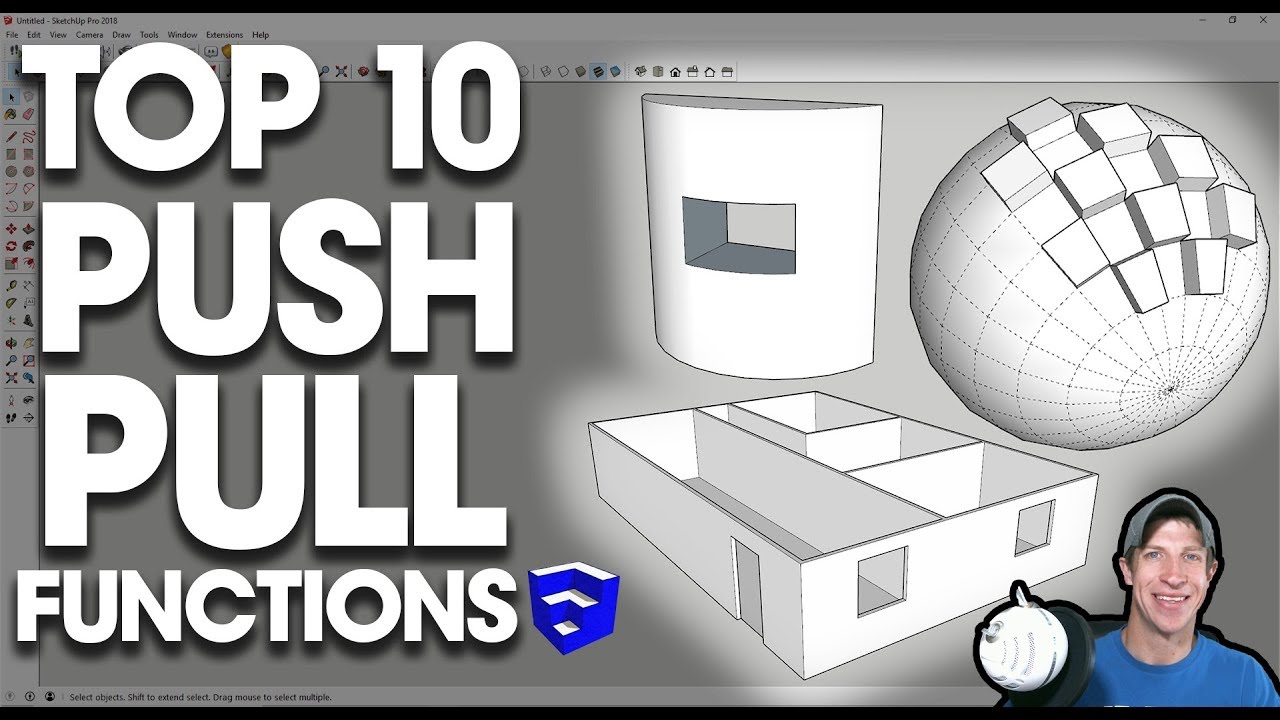
 In today's video, we talk about some of the best functions and applications of the SketchUp push pull tool!
Want to Support the SketchUp Essentials?
http://www.patreon.com/thesketchupess...
http://www.thesketchupessentials.com/...
THE SKETCHUP ESSENTIALS COURSE
http://www.thesketchupessentials.com/...
MY SKETCHUP MODELING PC SETUP
https://kit.com/TheSketchUpEssentials...
SKETCHUP BOOKS AND RESOURCES
https://kit.com/TheSketchUpEssentials...
MY CURRENT FAVORITE SKETCHUP PLUGINS AND EXTENSIONS
https://kit.com/TheSketchUpEssentials...
(Affiliate Links)
PLEASE LIKE AND SUBSCRIBE
Check Us Out On -
Website - http://www.thesketchupessentials.com
Twitter - http://www.twitter.com/easysketchup
Facebook - http://www.facebook.com/thesketchupes...
Pinterest - http://www.pinterest.com/easysketchup/
Disclaimers: all opinions are my own, sponsors are acknowledged. Product Links in the description are typically affiliate links that let you help support the channel at no extra cost.
Best Functions of the Push Pull Tool
1. Push/Pull large, continuous faces like floor plans
One of the great things about push/pull is its ability to push pull connected faces. This is one of the things that makes it so great for extruding floor plans. As long as a surface is flat, you can use the push/pull tool to extrude basically any object you want, as long as the surfaces are continuous.
2. Push Pull with inferencing
A great function of the push/pull tool is its inferencing. Basically what this means is that as soon as the push pull tool becomes active, it will inference to any other object in your model. This allows you to easily push pull objects to align with any other object in your model
3. Push Pull to cut a hole in an object
The push pull tool allows you to create holes within objects. One of the great features of this tool is its ability to remove faces when it reaches the back side of an object that is parallel to your original face. For example, if you cut a window in these walls, and you push pull your face to be level with the back side of the wall, SketchUp will automatically remove the window geometry in this location.
4. Push Pull precisely
You can type in a value to set the length of the extrusion you’d like to create.
5. Push pull to remove geometry
Not only can the push/pull tool add more geometry, it will also remove geometry. You can use it to create things like roofs and other tapered shapes quickly and easily. Simply break a face up and use the push pull tool to push that geometry away.
6. Push Pull in Create new face mode
One of the functions a lot of people aren’t aware of is the ability to create new faces with the push pull tool. This allows you to use this tool to create new geometry within your model. This can be especially useful when creating objects that you’re going to modify with the scale tool, etc.
7. Double Click to Repeat
Like most tools in SketchUp, the push pull tool allows you to repeat whatever your last function was by double clicking. For example, say I push/pulled an object 3’ and had a bunch more that I wanted to modify – double click these objects to repeat that last function.
8. Push pull with intersect with face through a curved object
One of the limitations of the push/pull tool is that it cannot push/pull curved surfaces. However, you can couple this tool with another tool in SketchUp to cut holes in curved surfaces. To do this, simply draw the object that you want to cut a hole with, push pull it through your curved surface, than select everything and select the option for “Intersect with model.” Now, you can go through and delete out your “cutting object,” leaving you with a nice opening in your model.
9. Push/Pull Multiple profiles at once with negative push pull
This is a relatively new trick that’s making the rounds. (Big thanks to Dave Edwards and SketchUp for popularizing this trick) While you can’t push pull multiple objects at once within SketchUp with the push/pull tool, what you can do is draw a shape, like a rectangle, then draw the profiles on top of that shape. Then, you can use the push/pull tool to remove the rectangle, leaving only your profiles as 3D shapes.
10. Combine Push Pull with Hidden Geometry
One of the things you can’t do with the push pull tool is to push pull curved or smoothed faces. However, you can turn on hidden geometry and push pull the individual faces that make up the curves with the push pull tool. This allows you some pretty interesting options.
sketchup tutorials interior design ( kitchen ) download Top 10 Functions of the Push Pull Tool in SketchUp | |
| 598 Likes | 598 Dislikes |
| 21,279 views views | 127K followers |
| Science & Technology | Upload TimePublished on 2 Jul 2018 |
Related keywords
sketchup 2018 portugues,sketchup 2018 mac,3d modeling and rendering,architecture 101 izle,sketchup push pull curve,sketchup cannot push pull curved or smooth surfaces,3d modeling and animation,sketchup push pull multiple surfaces,sketchup 2017 pro,sketchup tutorials for architects pdf,sketchup 2017 pro crack,sketchup modeling tips,architecture design,sketchup tutorials floor plan,sketchup modeling car,sketchup 2018 lessons,sketchup how to push/pull along a curve,sketchup tutorials architecture pdf,sketchup tutorials,sketchup 8 lessons advanced house building,3d modeling online free,architecture portfolio,architecture cv,sketchup 2018 free,sketchup 2018 estudante,sketchup download,sketchup 2018 crackeado portugues,sketchup shortcuts,sketchup tutorial download,sketchup 2017 make download,sketchup tutorial 2017,sketchup tutorial 2018,sketchup extension warehouse,sketchup lessons online,sketchup 2017 使い方,sketchup tutorial part 1,sketchup 2017 無料,architecture wallpaper 4k,architecture news,sketchup tutorials youtube,3d modeling autocad,3d modeling programs,sketchup modeling + lumion render,sketchup tutorials 2018,3d modeling android,sketchup tutorials 2019,sketchup push pull curved surfaces plugin,sketchup modeling from photos,sketchup tutorial house,sketchup free,multiple push pull sketchup plugin free download,sketchup 2017 license,google sketchup push pull multiple faces,sketchup push pull curved surface,sketchup lessons free,multiple push pull sketchup rbz,sketchup tutorials for architects pdf free download,sketchup components,sketchup tutorials woodworking,sketchup tutorials instagram,sketchup 2017 pro download,sketchup 2018 crackeado,sketchup tutorials video download,sketchup modeling 2015,sketchup 2017 ジオロケーション,sketchup online,sketchup lessons for middle school,http://www.thesketchupessentials.com/jointpushpull,3d modeling free,sketchup 2017 無料 日本語,sketchup 2018 gratis português,sketchup private lessons,sketchup tutorial house design,multiple push pull sketchup plugin download,sketchup tutorials step by step,sketchup 2017 日本語,3d modeling jobs,3d modeling linux,3d modeling app,sketchup modeling plugins,sketchup texture club,sketchup 2018 gratis,architecture wallpaper,google sketchup push pull curved surface,sketchup lessons plans,sketchup 2019 crack,sketchup tutorials for beginners,sketchup tutorial pdf,sketchup modeling download,sketchup plugin push pull multiple,sketchup 2017 mac,3d modeling app ipad,sketchup push pull multiple groups,sketchup modeling interior,google sketchup lessons for middle school,sketchup tutorials for architects,sketchup push pull tool,architecture quotes,push pull curved sketchup,sketchup for schools lessons,joint push pull tool sketchup download,sketchup 2017 make ダウンロード,sketchup 3d warehouse,google sketchup lessons,3d modeling software,sketchup 2018 download,the sketchup essentials,3d modeling portfolio,sketchup pro lessons,sketchup 2018 32 bits,architecture projects,sketchup push pull curved,sketchup warehouse 2015,sketchup lessons pdf,architecture font,sketchup tutorial indonesia,sketchup modeling free,3d modeling online,sketchup lessons video,sketchup modeling exteriors from photos,sketchup vray lessons,architecture lego,sketchup tutorials interior design,sketchup 2017 free download,http://thesketchupessentials.com/layout,architecture ne demek,sketchup 2017 crack,sketchup 8 lessons making a simple house,sketchup tutorial house building,sketchup 2018 não abre,sketchup modeling jobs,multiple push pull sketchup download,sketchup modeling with photo match,sketchup tutorial home design,sketchup multiple face push pull,the sketchup essentials layout,sketchup 2017 32 bit,sketchup tutorials house building,sketchup tutorial house design part 1,sketchup tutorial house building part 1,3d modeling course,sketchup software,sketchup tutorials architecture,sketchup tutorial kitchen cabinets,architecture magazine,architecture competition,the sketchup essentials #1,sketchup pro 2019,multiple push pull sketchup 2017,multiple push pull sketchup 2018,sketchup tutorials free,the sketchup essentials youtube,sketchup pro,multiple push pull sketchup 2015,sketchup tutorials online,multiple push pull sketchup 2016,3d modeling blender,sketchup tutorial membuat kitchen set,sketchup plugin push pull curved surface,sketchup 2018 requisitos,3d modeling books,sketchup 2018 baixar,sketchup push pull around curve,sketchup texture,architecture tattoo,sketchup push pull multiple,sketchup lessons youtube,sketchup vray 3.4 lessons,sketchup tutorials pdf,sketchup modeling 3d,sketchup free download,sketchup 2018 vray,3d modeling software free,sketchup 8 lessons,sketchup 2018 make,sketchup push pull curved face,sketchup modeling for everyone,sketchup tutorial pdf download free,3d modeling techniques,sketchup modeling free download,sketchup tutorial basic,sketchup push pull multiple items,sketchup modeling tutorial,architecture logo,sketchup modeling tutorials,joint push pull tool sketchup,the sketchup essentials course,architecture master programs in europe,the sketchup essentials download,sketchup 2018 download portugues,sketchup 2018 download crackeado,sketchup 2018 requisitos minimos,sketchup cannot push pull curved surface,sketchup student version,sketchup 2018 crackeado mac,google sketchup lessons pdf,sketchup 2017 plugins free download,sketchup lessons for high school,sketchup 2017,sketchup tutorial beginner,sketchup 2017 プラグイン,sketchup 2018,sketchup 2018 pro,sketchup 2017 重い,sketchup modeling house,sketchup tutorial 2d,sketchup modeling terrain,sketchup push pull multiple objects,sketchup modeling services,architecture sketch,sketchup 2017 free,sketchup tutorial,3d modeling exercises,architecture office,sketchup 2017 dxf,architecture 101,sketchup warehouse,sketchup tutorial pemula,sketchup push pull tool not working,

Không có nhận xét nào:
Đăng nhận xét